A night shift caregiver is trying to connect to Netsoins Teranga from the shared workstation in the unit. The browser displays a blank page, the password no longer works, and no one on the team knows if the URL has changed. This scenario regularly occurs in healthcare facilities that use the Netsoins Teranga platform on a daily basis. Accessing the portal reliably requires mastering a few technical points that are often poorly documented internally.
Netsoins Teranga login URL and compatible browser
The official portal address is hsm.netsoins.com. It can be found on the homepage of the Orisha Socialcare platform. Any other URL (old internal shortcuts, outdated bookmarks, links shared via messaging) may redirect to an obsolete page or simply display nothing.
Netsoins is a 100% web application. No local installation is necessary, but the choice of browser matters. Field feedback converges: recent versions of Chrome and Firefox work smoothly. Internet Explorer, still present on some nursing home workstations, causes display freezes and session losses. If working on a shared workstation under Windows, checking the browser version before calling support often avoids unnecessary back-and-forth.
To easily access Netsoins Teranga, it is recommended to save the exact URL as a favorite on each workstation and tablet in the facility, rather than searching for it each time via a search engine.
Secure authentication and MFA requirements in healthcare facilities
The username/password pair remains the basis for connecting to Netsoins. Each professional has their own access, assigned by the facility’s administrator. Never share your credentials with colleagues, even to save time during a shift change: the traceability of actions in the computerized user file (DUI) depends on it.
Since the tightening of HDS standards, multi-factor authentication (MFA) has become a requirement for systems hosting health data. In practical terms, this means that in addition to the password, a second proof of identity may be requested: TOTP application on the work phone, physical FIDO2 key, or code sent via a separate channel.
Not all facilities have yet deployed MFA on Netsoins. Feedback varies on this point depending on the configuration set up by the IT department. If your facility has not activated it, it is likely that it will in the short term. Here’s what can be prepared right now:
- Check with the IT department if MFA is already active or planned for Netsoins access
- Ensure that each caregiver has a terminal (work phone or dedicated workstation) compatible with an authentication application
- Test the recovery procedure in case of loss of the second factor, before a blockage occurs during care
Forgotten password or expired session
Netsoins automatically disconnects the user after a period of inactivity. On night shifts, when alternating between residents’ beds and the office, the session often expires. Keeping the tab active is not enough: it is the lack of interaction with the application that triggers the disconnection.
In case of a forgotten password, the reset procedure goes through the local administrator or via the link provided on the login page. It is advisable to avoid multiple failed attempts, as certain security parameters may temporarily lock the account.
Netsoins connection on tablet and mobile at the resident’s bedside
One of the advantages of Netsoins Teranga is mobility. You can connect from a tablet directly in the resident’s room to enter a transmission or consult the care plan. But this mobility has its constraints.
The facility’s Wi-Fi network must cover the floors and wings uniformly. An unstable Wi-Fi signal causes unrecorded input losses. Before generalizing mobile use, test the coverage in areas where caregivers work the most: rooms, treatment rooms, night stations.
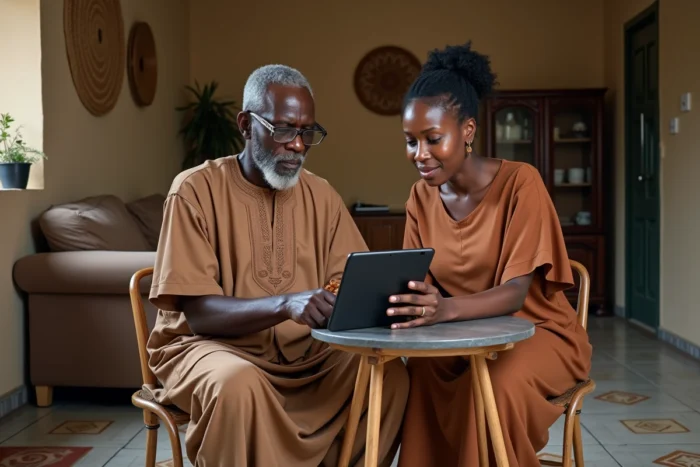
On a tablet, navigation remains the same as on a fixed workstation. The modules (transmissions, administrative file, prescription) are displayed in the same order. Selecting the sector and the resident at the top of the page determines all visible data. If you change sectors without noticing, you risk entering a transmission for the wrong resident.
Best practices for mobile input
- Always check the resident’s name displayed in the blue banner before any input
- Prefer immediate input rather than deferred input at the office, to limit forgetfulness and duplicates
- Systematically log out after each session on a shared device, even if automatic logout is configured
- Report any network malfunction to the IT department with precise location (floor, room) to allow for quick diagnosis
GDPR compliance and HDS hosting of Netsoins Teranga
The data entered in Netsoins (medical records, transmissions, prescriptions) are personal health data. Their hosting must comply with HDS certification (Health Data Host), which Teranga Software, now under the Orisha Socialcare brand, claims.
The HDS V2 standard imposes strengthened cybersecurity and subcontractor management requirements. For a facility, this translates into an obligation to verify that the service provider has an up-to-date HDS certificate. In the event of a CNIL audit or security incident, this is one of the first documents requested.
GDPR compliance in nursing homes is not limited to the choice of software. Each facility must maintain a record of processing activities, train its teams in access management, and report any data breaches within regulatory deadlines. Netsoins provides the tool, but the responsibility for usage remains with the facility.
Accessing Netsoins Teranga securely is primarily a matter of collective digital hygiene: verified URL, up-to-date browser, personal credentials, MFA activated when possible, and stable network for mobility. These checks take a few minutes to implement but save hours of blockage and stress when the team needs it the least.